How to Set Up Automatic Payments: Complete Guide to Protecting Your Credit Score
Step-by-step instructions for setting up automatic payments on mortgages, credit cards, and loans. Learn how autopay protects your credit score, saves time, and eliminates the stress of manual payment management.
Missing a payment deadline can feel like a small oversight—perhaps you were traveling, dealing with a family emergency, or simply forgot amid a busy schedule. However, the consequences of even a single late payment can be severe and long-lasting. A payment that is 30 days overdue can drop your credit score by 60 to 110 points, remain on your credit report for seven years, and potentially disqualify you from mortgage approval or result in significantly higher interest rates. For New Jersey homeowners and prospective buyers, protecting your credit score is essential to maintaining financial flexibility and securing favorable mortgage terms.
Automatic payments (autopay) provide a simple, reliable solution to eliminate the risk of late payments entirely. By authorizing your lender, credit card company, or service provider to automatically withdraw funds from your bank account or charge your credit card on a scheduled date each month, you ensure that payments are made on time, every time, without requiring manual intervention. This guide provides comprehensive, step-by-step instructions for setting up automatic payments across various account types, explains the benefits and potential risks, and offers best practices to maximize the advantages while maintaining control over your finances.
Why Automatic Payments Matter for Your Credit Score
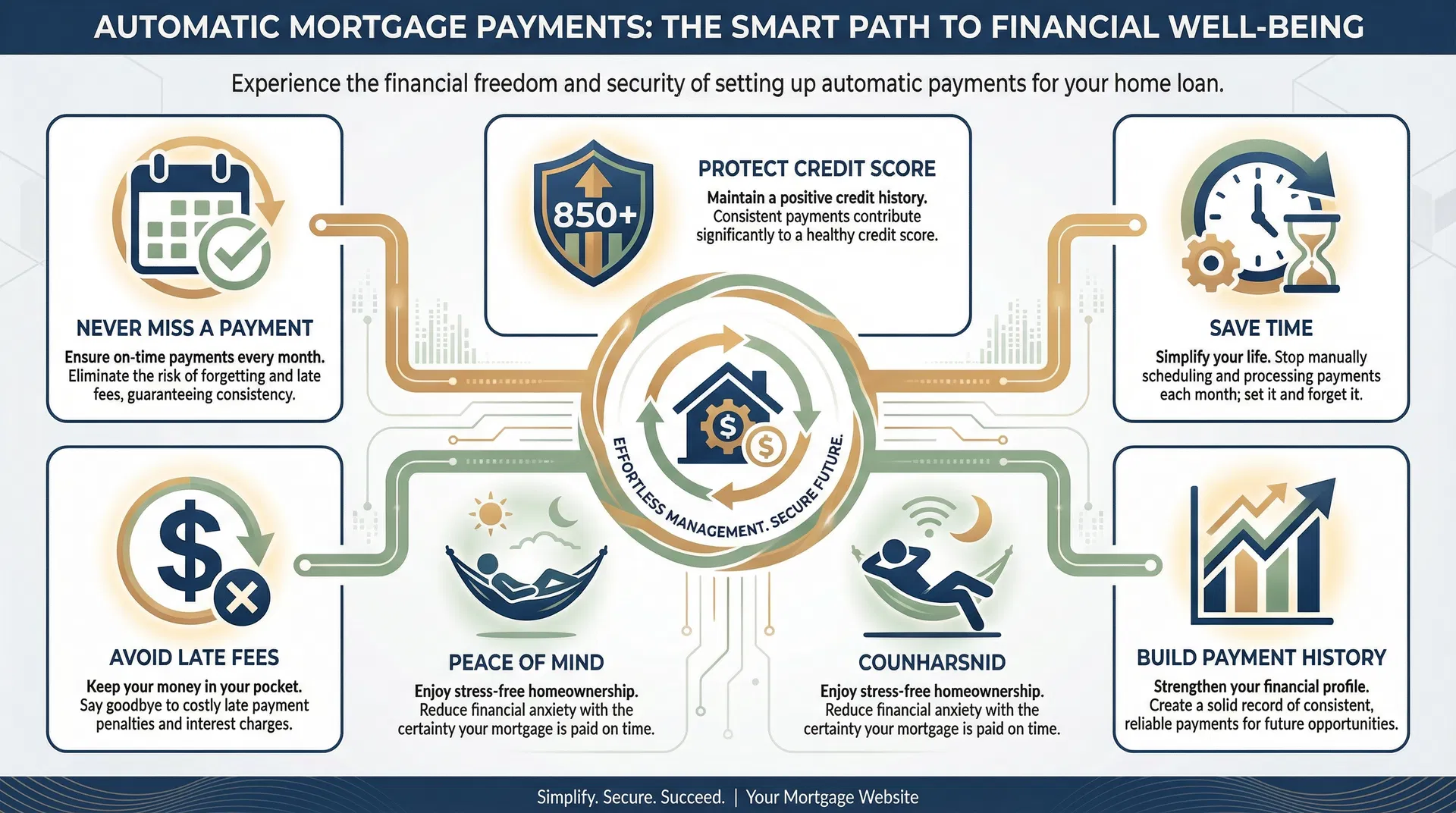
Payment history is the single most important factor in your credit score calculation, accounting for 35% of your FICO score. This means that consistently making on-time payments is more critical than your credit utilization ratio, length of credit history, or types of credit accounts. Even one late payment can cause significant damage, and multiple late payments create a pattern that mortgage underwriters view as a serious red flag. Automatic payments eliminate human error, forgetfulness, and scheduling conflicts, ensuring that your payment history remains flawless.
Beyond credit score protection, automatic payments offer substantial time savings and peace of mind. The average person manages multiple recurring bills—mortgage or rent, credit cards, auto loans, student loans, utilities, insurance, and subscriptions—each with different due dates and payment methods. Manually tracking and paying each bill requires significant mental energy and time. Automatic payments streamline this process, allowing you to "set it and forget it" while maintaining perfect payment history and freeing up time for more important priorities.
Step-by-Step Guide to Setting Up Automatic Payments
Setting up automatic payments is straightforward, but the specific process varies depending on the type of account and the financial institution. The following comprehensive guide covers the most common account types—mortgages, credit cards, auto loans, student loans, and utilities—with detailed instructions for each. Before you begin, gather the necessary information: your bank account number and routing number (for ACH transfers) or credit card information (for card payments), your account login credentials for each biller, and a clear understanding of your monthly cash flow to ensure sufficient funds are available on payment dates.
Setting Up Mortgage Autopay
Your mortgage payment is typically your largest monthly expense and the most critical payment to make on time. Mortgage late payments are viewed more seriously by lenders than late payments on other accounts because they directly indicate your ability to prioritize housing costs. Most mortgage servicers offer automatic payment options through their online portals or mobile apps.
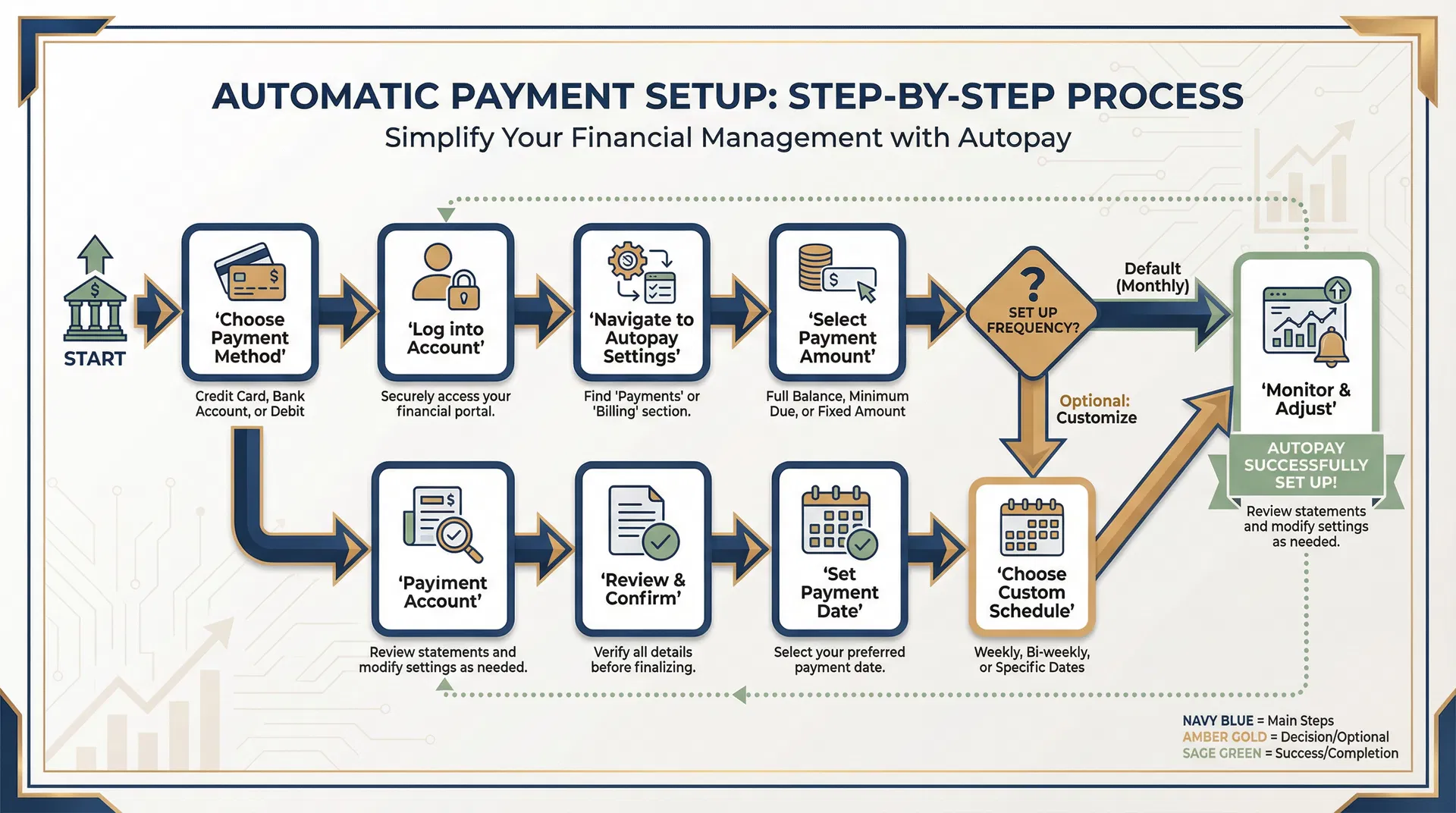
Mortgage Autopay Setup Steps
- 1. Log into your mortgage servicer's website or mobile app using your account credentials.
- 2. Navigate to the "Payments" or "Manage Payments" section in the main menu.
- 3. Select "Set Up Automatic Payments" or "Enroll in Autopay" option.
- 4. Choose your payment method: Bank account (ACH) or debit card. Credit cards are typically not accepted for mortgage payments.
- 5. Enter your bank account information: Account number, routing number, and account type (checking or savings).
- 6. Select payment amount: Full monthly payment (principal, interest, taxes, insurance) or custom amount.
- 7. Choose payment date: Select a date that aligns with your income schedule, typically 2-5 days before the due date to allow processing time.
- 8. Review and confirm: Verify all details are correct, including payment amount, date, and bank account information.
- 9. Save confirmation: Print or save the confirmation email for your records.
- 10. Monitor first payment: Verify the first automatic payment processes correctly and appears on your mortgage statement.
Setting Up Credit Card Autopay
Credit cards offer flexible autopay options, allowing you to choose between paying the minimum payment, statement balance, or full balance each month. For optimal credit score protection and to avoid interest charges, always select "full balance" autopay. This ensures you never carry a balance, never pay interest, and maintain a perfect payment history.
Credit Card Autopay Setup Steps
- 1. Log into your credit card issuer's website or mobile app.
- 2. Navigate to "Payments" or "AutoPay" section.
- 3. Select "Set Up AutoPay" or "Enroll in Automatic Payments."
- 4. Choose payment amount: Minimum payment, statement balance, or full balance. Recommendation: Select "Full Balance" to avoid interest charges.
- 5. Select payment source: Bank account (checking or savings) for ACH transfer.
- 6. Enter bank account details: Account number, routing number, and account type.
- 7. Choose payment date: Most issuers automatically schedule payments for the due date, but some allow you to select an earlier date.
- 8. Review and confirm: Verify payment amount, date, and bank account information.
- 9. Enable email notifications: Set up alerts for upcoming autopay deductions and successful payments.
- 10. Monitor statements: Continue reviewing monthly statements to catch fraudulent charges and verify autopay processed correctly.
Setting Up Auto Loan Autopay
Auto loans typically have fixed monthly payments that make them ideal candidates for automatic payments. Most auto lenders and financing companies offer autopay enrollment through their online portals, and some even provide interest rate discounts (typically 0.25%) for enrolling in autopay.
Auto Loan Autopay Setup Steps
- 1. Log into your auto loan servicer's online account.
- 2. Navigate to "Payments" or "AutoPay" section.
- 3. Select "Enroll in AutoPay" option.
- 4. Enter bank account information: Account number, routing number, and account type.
- 5. Confirm payment amount: Verify the monthly payment amount displayed is correct.
- 6. Select payment date: Choose a date that aligns with your income schedule, typically 2-3 days before the due date.
- 7. Check for autopay discount: Ask if enrolling in autopay qualifies you for an interest rate reduction.
- 8. Review and confirm: Verify all details and submit enrollment.
- 9. Save confirmation: Keep the confirmation email or reference number.
- 10. Monitor first payment: Verify the first automatic payment processes correctly.
Setting Up Student Loan Autopay
Federal and private student loan servicers strongly encourage autopay enrollment, often offering interest rate reductions of 0.25% as an incentive. Given the long repayment terms of student loans (typically 10-25 years), this small rate reduction can result in significant savings over the life of the loan while also protecting your credit score.
Student Loan Autopay Setup Steps
- 1. Log into your student loan servicer's website (e.g., Nelnet, Great Lakes, FedLoan Servicing, Navient).
- 2. Navigate to "Payments" or "AutoPay" section.
- 3. Select "Enroll in AutoPay" or "Set Up Automatic Payments."
- 4. Enter bank account information: Account number, routing number, and account type.
- 5. Confirm payment amount: Verify monthly payment amount (may vary for income-driven repayment plans).
- 6. Select payment date: Choose a date aligned with your income schedule.
- 7. Apply for interest rate discount: Confirm you will receive the 0.25% rate reduction for enrolling in autopay.
- 8. Review and confirm: Verify all details and submit enrollment.
- 9. Save confirmation: Keep the confirmation email.
- 10. Monitor first payment: Verify the first automatic payment processes correctly and the interest rate reduction is applied.
Setting Up Utility and Subscription Autopay
Utilities (electric, gas, water, internet, phone) and subscription services (streaming, software, memberships) are excellent candidates for autopay because they are recurring, essential expenses. While utility bills may vary month to month based on usage, autopay ensures you never miss a payment even if the amount fluctuates.
Utility/Subscription Autopay Setup Steps
- 1. Log into your utility or subscription provider's website or app.
- 2. Navigate to "Billing" or "Payment Settings" section.
- 3. Select "Set Up AutoPay" or "Automatic Payments."
- 4. Choose payment method: Bank account (ACH) or credit/debit card.
- 5. Enter payment information: Bank account or card details.
- 6. Select payment date: Some utilities allow you to choose a specific date; others automatically charge on the due date.
- 7. Enable email notifications: Set up alerts for upcoming charges and payment confirmations.
- 8. Review and confirm: Verify all details and submit.
- 9. Monitor first payment: Verify the first automatic payment processes correctly.
Best Practices for Managing Automatic Payments
While automatic payments offer tremendous convenience and credit score protection, they require ongoing monitoring and management to avoid potential issues such as overdrafts, failed payments, or unauthorized charges. The following best practices will help you maximize the benefits of autopay while maintaining full control over your finances.
Maintain a Payment Calendar
Create a spreadsheet or use a calendar app to track all automatic payment dates and amounts. This helps you anticipate upcoming withdrawals and ensure sufficient funds are available in your account before each payment date.
Keep a Buffer in Your Account
Maintain a cushion of at least $500-$1,000 in your checking account to prevent overdrafts from unexpected expenses or timing mismatches between income deposits and automatic payments.
Enable Payment Alerts
Set up email or text notifications for upcoming automatic payments (2-3 days before), successful payments, and failed payments. This allows you to address issues immediately before they impact your credit score.
Review Statements Monthly
Continue reviewing monthly statements even with autopay enabled. This helps you catch fraudulent charges, billing errors, or unexpected rate increases that require attention.
Update Payment Information Promptly
If you change banks, get a new credit card, or close an account, immediately update your autopay settings with all billers. Failed payments due to outdated information will still damage your credit score.
Periodically Review and Optimize
Every 6-12 months, review all automatic payments to identify subscriptions you no longer use, negotiate better rates, or consolidate payments to simplify your financial management.
Potential Risks and How to Avoid Them
While automatic payments offer significant benefits, they are not without potential risks. Understanding these risks and implementing preventive measures will help you avoid problems and maintain full control over your finances.
Common Autopay Risks
Overdraft Fees from Insufficient Funds
If your account balance is too low when an automatic payment is processed, you may incur overdraft fees ($35-$40 per transaction). Solution: Maintain a buffer balance, enable low-balance alerts, and consider linking a savings account for overdraft protection.
Failed Payments Due to Outdated Information
If you change banks or get a new card without updating autopay settings, payments will fail and damage your credit. Solution: Keep a master list of all autopay accounts and update them immediately when payment information changes.
Difficulty Disputing Charges
With autopay, you may not notice billing errors or fraudulent charges until after payment has been processed. Solution: Review statements before the payment date and set up fraud alerts with your bank.
Forgotten Subscriptions
Autopay makes it easy to forget about subscriptions you no longer use, wasting money each month. Solution: Conduct quarterly reviews of all automatic payments and cancel unused services.
Variable Payment Amounts
Utility bills and credit card balances vary month to month, making it harder to predict cash flow. Solution: Review bills before the payment date and maintain a larger buffer for variable expenses.
Frequently Asked Questions
Can I cancel automatic payments at any time?
Yes, you can cancel or modify automatic payments at any time by logging into your account with the biller or contacting customer service. However, you must cancel at least 3 business days before the scheduled payment date to ensure it does not process. After canceling autopay, you are responsible for making manual payments on time to avoid late fees and credit damage.
What happens if an automatic payment fails?
If an automatic payment fails due to insufficient funds or outdated payment information, the biller will typically notify you via email and may attempt to process the payment again after a few days. However, the failed payment may still be reported as late to credit bureaus if it is not resolved within 30 days of the due date. You may also incur late fees and overdraft fees. To avoid this, enable low-balance alerts and keep payment information current.
Should I use a credit card or bank account for automatic payments?
For most bills, using a bank account (ACH transfer) is preferable because it avoids credit card processing fees and ensures payments are deducted directly from your available funds. However, using a credit card for automatic payments can offer benefits such as cash back rewards, fraud protection, and an extra layer of separation from your bank account. If you choose to use a credit card, ensure you have autopay enabled on the credit card itself to pay the full balance each month and avoid interest charges.
Will automatic payments improve my credit score?
Automatic payments do not directly improve your credit score, but they prevent late payments, which is the most important factor in maintaining and improving your score. By ensuring 100% on-time payment history, autopay protects your score from the significant damage caused by late payments (60-110 point drops). Over time, consistent on-time payments contribute to a higher credit score and better mortgage eligibility.
How do I track all my automatic payments?
Create a master spreadsheet or use a budgeting app (e.g., Mint, YNAB, Personal Capital) to track all automatic payments. Include the biller name, payment amount, payment date, payment method, and account used. Update this list whenever you add, modify, or cancel an automatic payment. Review it monthly to ensure all payments processed correctly and to identify opportunities to cancel unused subscriptions or negotiate better rates.
Take Control of Your Financial Future
Setting up automatic payments is one of the simplest and most effective strategies to protect your credit score, save time, and reduce financial stress. By eliminating the risk of late payments, you ensure that your payment history remains flawless, which is the foundation of a strong credit score and favorable mortgage terms. While autopay requires ongoing monitoring and management, the benefits far outweigh the minimal effort required to maintain control over your finances.
If you are planning to buy a home in New Jersey or refinance your existing mortgage, maintaining perfect payment history through automatic payments is essential to securing the best possible interest rates and loan terms. Even a single late payment can increase your mortgage rate by 0.5% to 1.0%, costing you tens of thousands of dollars over the life of the loan. Take action today to set up automatic payments on all your recurring bills and protect your financial future.
Ready to Optimize Your Credit and Secure Your Dream Home?
Contact Matthew Victoria at PRMG to discuss your mortgage options and learn how to maximize your credit score for the best possible rates. Whether you're a first-time buyer, looking to refinance, or recovering from credit challenges, we're here to guide you every step of the way.
Related Articles
How to Get a Home Renovation Loan in New Jersey: Complete 2026 Guide
Comprehensive guide to financing your home improvements in New Jersey. Learn about FHA 203(k), HomeStyle, VA renovation loans, and qualification requirements.
Strategic Guide to Timing Your Home Sale
Learn how to balance tax implications, market conditions, seasonal factors, and personal circumstances for optimal home selling timing.
Capital Gains Tax on Home Sales: Complete Guide
Understanding and minimizing capital gains tax when selling your home in New Jersey. Learn about the $250K/$500K exclusion and tax-saving strategies.